


Homeschool: Good & Beautiful
3.5177.00 Reviews
App Specs
- Version
- 1.8.4
- Updated On
- License
- Free
- Downloads
- 100,000+
- Developer
- The Good and the Beautiful
- Categories
- Education
- Platform
- Android
Screenshots
 Analysis by AppCompare
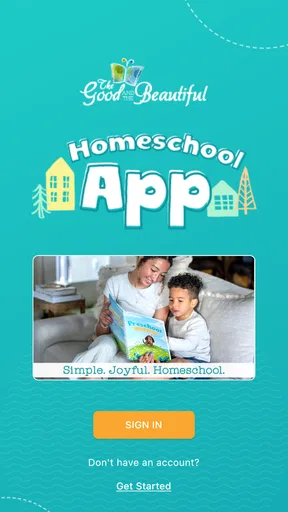
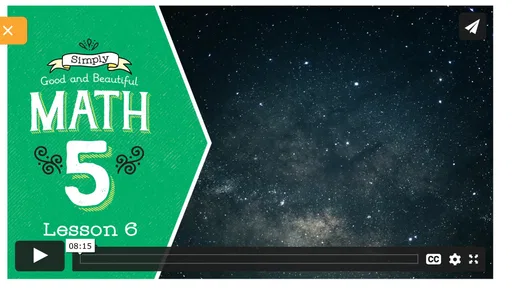
When I first opened Homeschool: Good & Beautiful, I understood its main purpose quickly: it is a companion for families already interested in The Good and the Beautiful’s homeschool materials, media, and online store. It is not trying to replace a full learning platform, a digital classroom, or a general lesson planner. Instead, it brings several parts of that homeschool experience into one mobile starting point, which can be useful when a parent is moving between curriculum decisions, related media, and shopping.
The app is free, aimed at everyone, and belongs in the education category. The developer is The Good and the Beautiful, so the experience feels closely tied to that organization rather than designed as a neutral directory of homeschool resources. That focus is both its clearest strength and its first important limitation: the more familiar you are with this educational approach, the more useful the app is likely to feel.
From a homeschool idea to a practical next step
I’d use this section to turn a broad homeschool interest into one manageable decision: identify the lesson or subject your family is working on, then look for a related resource before browsing the store. That keeps the app focused on supporting a plan rather than shaping one through shopping. From there, the next question is how well that focused path holds up during a busy day.
Beginning with the family’s actual need
A realistic use case starts away from the phone. Perhaps I am planning the next part of a child’s homeschool routine and want to check which related resources are available. Maybe I have heard about a piece of educational media and want to find it without searching through unrelated websites. Or I may already be using materials from The Good and the Beautiful and need a convenient route back to the organization’s shop.
That is where this app makes sense. It gives parents a focused place to begin instead of asking them to remember several web addresses or search terms. I would not open it expecting a complete teaching environment with assignments, grading, live instruction, or a broad comparison of every homeschool publisher. I would open it when my next step is connected to this particular developer’s resources.
This distinction matters because the app’s value is less about the amount of time spent inside it and more about reducing the small interruptions around homeschool planning. A parent may only need a few minutes to locate a resource, check connected media, or continue toward the online store. In a busy home, that kind of narrow usefulness can be worthwhile, provided expectations are set correctly.
The first step: finding the right pathway
My recommended approach is to treat the app as a starting hub rather than browsing aimlessly. Begin with the reason you opened it. If you are looking for media connected to a lesson or subject, go in that direction first. If the goal is purchasing or exploring curriculum-related products, move toward the store area. Keeping that purpose in mind makes the experience feel more organized than simply tapping through every section.
Worth Reading Before You Choose

EA SPORTS FC Mobile 26 Is a Bigger Football Game, but It Takes Time

Flipboard Shows What News Apps Must Do Beyond the Feed

Switching to Android Auto Means Rethinking Your Driving Routine

Google Calendar Makes a Crowded Week Easier to Manage

Ludo King Makes the Most of the Minutes Between Plans

Baby Panda World Brings Quick Play to Modern Phones, but Its Game Library Feels Busy
This workflow is especially helpful for parents who have already made a curriculum decision. Instead of using the app to decide whether homeschooling is right for their family, I would use it after that broader decision has been made. It is better suited to supporting an existing plan than creating an entire educational plan from an empty page.
One practical tip is to separate discovery from purchasing. I would first identify what resource or media item fits the child’s current need, then review the store with that specific goal. This reduces the chance of turning a quick search into an unfocused shopping session. It also makes it easier to discuss the choice with another parent or educator before committing to anything.
Moving from media to materials
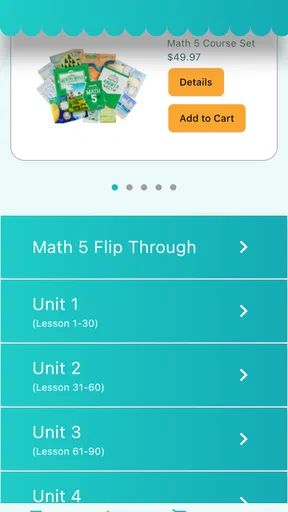
The connection between media and the online store is one of the more useful ideas here. In a homeschool setting, a parent may encounter a video, reading suggestion, or other related content and then need to find the material that supports the same learning direction. A dedicated app can make that handoff feel more natural than starting over in a separate browser search.
In my experience, this kind of connection is most valuable when I already know the subject, age range, or curriculum area I am trying to support. The app can help keep the search within the developer’s ecosystem, which saves mental effort. The trade-off is that the choice is naturally limited to what The Good and the Beautiful offers or presents. A general homeschool marketplace would provide a wider range of teaching philosophies and publishers, while this app provides a more focused route.
That makes it a good fit for a family seeking consistency. If your home already uses the developer’s books or lessons, keeping related discovery and shopping together may feel reassuring. If you are comparing approaches, prices, formats, or educational philosophies across many providers, a browser and a broader research process will probably serve you better.
The parent’s handoff to the online store
The store connection is not just a minor convenience. It changes how the app fits into a parent’s routine. I can imagine opening it while planning the week, finding a related resource, and then passing the decision to another adult for approval before buying. That handoff is important in families where one person teaches and another manages household spending.
I would still slow down before making a purchase. A mobile app can make discovery feel quick, but curriculum choices deserve more thought than an impulse purchase. Check whether the resource matches the child’s current ability, whether it fits the lessons already in use, and whether the format works for your home. The app can support the path to the store; it should not replace the parent’s judgment about educational fit.
Another useful habit is to keep a short note outside the app with the resources you are considering and the reason for each one. This is a simple workaround for the common problem of browsing becoming difficult to remember later. It also helps when a spouse, co-teacher, or older student needs to understand why a particular item was selected.
What the finished workflow looks like
The best outcome is not spending more time in the app. It is reaching a clearer next action: choosing related media, identifying a useful homeschool resource, or entering the online store with a specific purpose. In that sense, the app works as a bridge between interest and action.
For example, imagine a parent preparing lessons for the coming week. They open the app to explore content connected to the material already being taught. After finding something relevant, they decide whether it is enough for the current lesson or whether an additional resource would help. If a purchase is appropriate, they continue to the store; if not, they close the app with a more focused plan. That is a sensible outcome because the app has supported a decision without pretending to be the entire homeschool system.
This workflow can also help reduce scattered planning. Instead of jumping between a search engine, a video service, and a store, the parent begins in one place that is designed around this developer’s educational world. The benefit is not unlimited choice. It is a more direct route when the desired destination is already known.
Where the flow becomes less comfortable
The same specialization that makes the app convenient can make it feel narrow. Families who want one application to manage schedules, attendance, assignments, records, communication, and curriculum from many publishers should look elsewhere. This is not the kind of tool I would choose as the central operating system for an entire homeschool day.
There is also a difference between accessing resources and teaching with them. A parent may find a helpful item through the app, but the actual work still happens through the family’s chosen lessons, books, activities, and conversations. If you are expecting the application itself to guide a child independently from start to finish, it may disappoint you.
Another possible friction point is the shopping handoff. Moving from educational planning into a store can be convenient, but it can also blur the line between “this would be useful” and “this is necessary.” I recommend deciding on the learning objective first and considering the purchase second. That approach keeps the app in a supporting role instead of allowing browsing to drive the curriculum.
Families outside The Good and the Beautiful’s ecosystem may also find less reason to return regularly. A general resource app would be more suitable for someone who wants to compare multiple publishers or collect materials from different educational traditions. Here, the focused catalog is part of the identity, not a flaw that can be removed.
Everyday usability and device expectations
The app runs on Android devices using version 7.0 or later, which gives it a practical place on many older phones and tablets. I appreciate that families do not necessarily need the newest device simply to explore a homeschool resource. On a shared family tablet, the app could be used during planning time while a parent and child discuss what they are studying next.
Because this is a mobile companion rather than a full desktop curriculum environment, I would use a larger screen when comparing several resources or reading detailed information. A phone is convenient for quick checks and discovery, while a tablet or browser may be more comfortable for extended planning. That is not a reason to avoid the app; it is a reminder to match the device to the task.
The current version is 1.8.4, and the app has passed the early experimental stage enough to attract over one hundred thousand installs. Its average rating is 3.5, based on more than three hundred ratings, so I would describe the public response as mixed rather than universally enthusiastic. That aligns with my overall view: the app has a clear purpose, but its usefulness depends strongly on whether that purpose matches your family’s needs.
Who will get the most from it
I would recommend trying it if you are a parent who already uses, or is seriously considering, resources from The Good and the Beautiful. It can make related media easier to reach and provide a direct route into the developer’s online store. It is also a reasonable choice for families that prefer a focused ecosystem instead of assembling every resource from unrelated services.
It may be particularly helpful for a parent who plans lessons in short sessions. If you have ten minutes between household tasks, a focused app can be more practical than opening several tabs and trying to remember where each resource came from. The key is to enter with a question and leave with an action.
I would be more cautious if you are new to homeschooling and need broad guidance before choosing a curriculum. In that situation, you may benefit from independent reviews, conversations with experienced homeschoolers, and comparisons across several publishers. This app can be part of that research, but I would not make it the only source shaping a major educational decision.
My recommendation after following the complete path
After looking at the app as a full workflow—from a parent’s initial need, through discovery and the store handoff, to the final planning decision—I see it as a useful companion rather than a complete homeschool solution. Its strongest quality is focus. It gives families connected to The Good and the Beautiful a convenient mobile route to related media and shopping without requiring them to rebuild that path every time.
Its main weakness is equally clear: that focused route will not satisfy everyone. Parents wanting broad curriculum comparison, detailed school management, or a complete digital classroom should choose a more comprehensive alternative. The app is best when the question is, “What from this educational ecosystem should I explore next?” It is not the best answer to, “How do I manage every part of homeschooling?”
Since it is free and rated for everyone, there is little barrier to testing whether the workflow suits your household. I would install it with a specific task in mind, use it to connect media or store browsing to an existing lesson plan, and judge it by whether it saves effort rather than by how long I remain inside it. For the right family, its value is a smoother handoff from homeschool planning to a practical next step.
Pros
- Clear
- structured lessons make planning a homeschool day easier.
- Includes values-based content suitable for families seeking faith-centered learning.
- Many activities encourage creativity beyond traditional worksheets.
- Materials can support multiple ages within the same household.
- Helpful progress features let parents track completed learning tasks.
Cons
- Some resources may require extra printing
- supplies
- or preparation time.
- The faith-based approach may not suit secular homeschooling families.
- Large lesson resources can take considerable device storage space.
- Parents may need to adapt lessons for children with different learning needs.
- Some content and features may depend on an internet connection.
FAQs for Homeschool: Good & Beautiful
What is Homeschool: Good & Beautiful?
Homeschool: Good & Beautiful is an educational app designed to support families who teach children at home. It provides access to lessons, learning materials, and curriculum-related resources from The Good and the Beautiful. The app is intended to make homeschool planning and daily study more convenient, although the exact content available may depend on the child’s age, selected subjects, account type, and any materials purchased separately.
Which subjects and age groups does Homeschool: Good & Beautiful support?
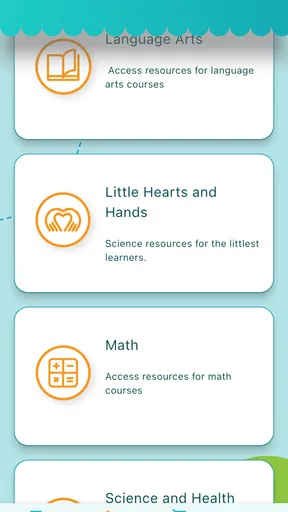
The app is mainly aimed at homeschooling families with children in the early learning and elementary years, though available resources can vary as the curriculum develops. Depending on the program, users may find support for subjects such as language arts, handwriting, reading, math, science, and social studies. Before downloading, parents should check the current app description and curriculum catalog to confirm that the desired grade level and subjects are included.
Is Homeschool: Good & Beautiful free to use?
Downloading the app may be free, but not every educational resource is necessarily available without payment. Some lessons or curriculum components may be offered at no cost, while other materials can require a purchase, subscription, account access, or physical books used alongside the digital content. Parents should review the current pricing, in-app purchase details, and refund terms before committing to a complete homeschool program.
Does the app work offline?
Offline availability can depend on the specific lesson or resource. Some content may need to be downloaded in advance, while videos, account-based features, progress synchronization, or newly updated materials may require an internet connection. In testing any homeschool app, it is best to prepare lessons while connected to Wi-Fi and verify that downloaded activities remain accessible before relying on the app during travel or in areas with limited connectivity.
Is Homeschool: Good & Beautiful suitable for independent learning?
Homeschool: Good & Beautiful is primarily designed to assist parents rather than completely replace them. Children may be able to complete certain activities independently, especially when they are comfortable readers, but younger students will often need explanations, supervision, and help organizing lessons. Parents should expect to guide the learning process, provide any required physical materials, and adjust the pace or difficulty according to the child’s individual needs.


